
How to deposit via Thai local bank with PayTrust (ภาษาไทย)
* Note that rare delays up to 48 hours with deposits may occur. Traders have to make sure that a balance of a trading account is supported with additional free funds for such instances in advance.
Kasikorn Bank
* Kasikorn Bank will cut the end of day at 22:00 - 24:00 Thailand time every day. Please do not deposit during this time.
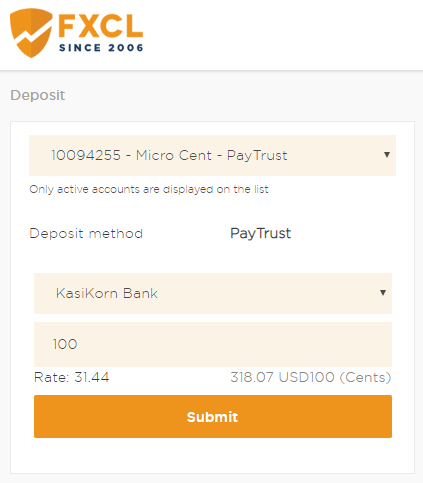
1. Go to deposit page in your cabinet. Choose trading account number and enter deposit amount. Minimum deposit is 100 THB and click "Submit" button.
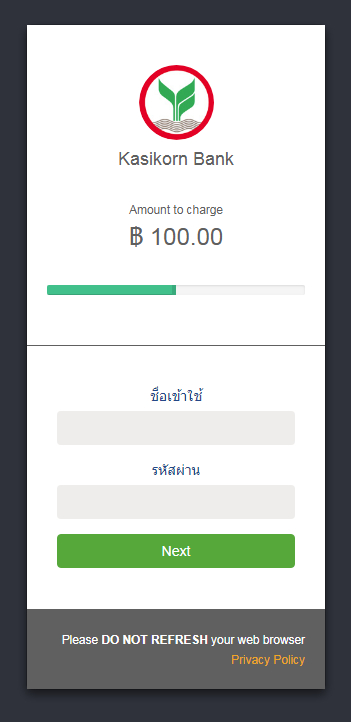
2. Enter you K-Cyber username and password.
* K-Cyber account is different from K Plus account on mobile application. If you don't have K-Cyber account please open it first.
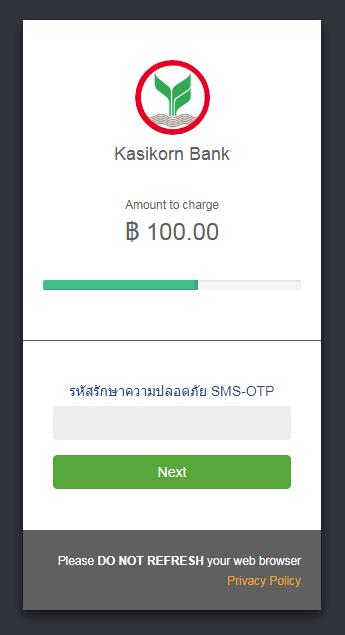
3. For you first deposit, please enter OTP code that you receive via SMS to add the destination bank account.
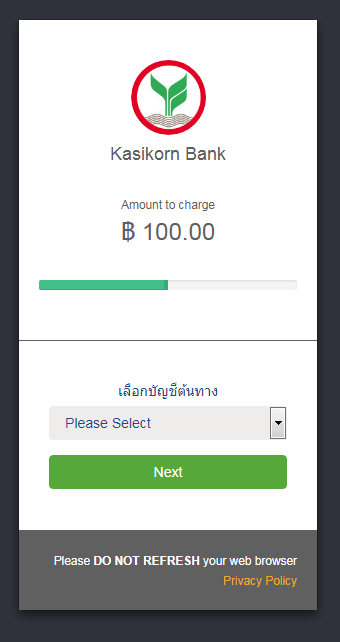
4. Choose your bank account to deduct the fund.
5. Enter OTP code.
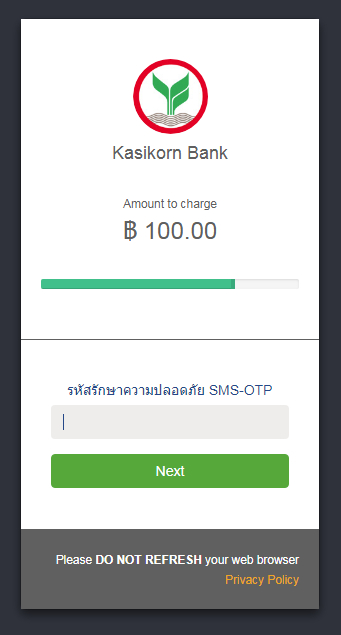
6. Deposit is successful.
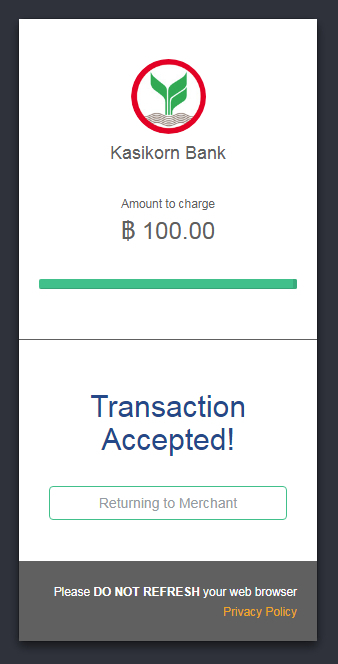
7. Check you deposit status at Deposit History menu
"Done" status means the deposit is successful.
"Processing" status means the deposit is adding to your trading account. Please wait for 1-10 minutes.
"Undone" status means the deposit is not successful.
8. If the fund was deducted from your bank account but not added to your trading account. Please send a transaction receipt to thai@fxclearing.com for verification.
Siam Commercial Bank (SCB)
1. Go to deposit page in your cabinet. Choose trading account number and enter deposit amount. Minimum deposit is 100 THB and click "Submit" button.
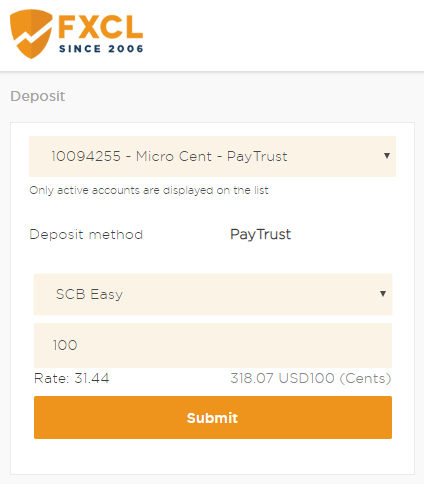
2. Enter you SCB Easy Net username and password.
* SCB Easy Net account is different from SCB Easy account on mobile application. If you don't have SCB Easy Net account please open it first.
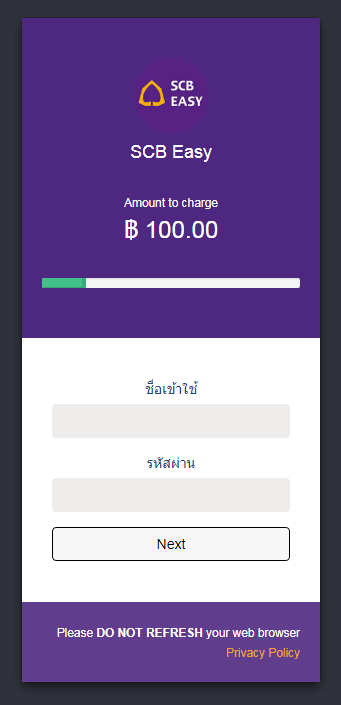
3. Choose your bank account to deduct the fund.
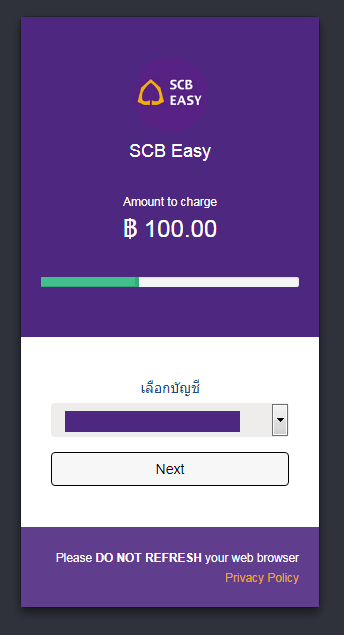
4. Enter OTP code.
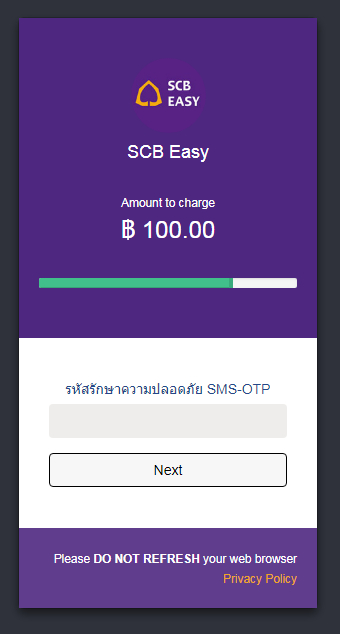
5. Deposit is successful.
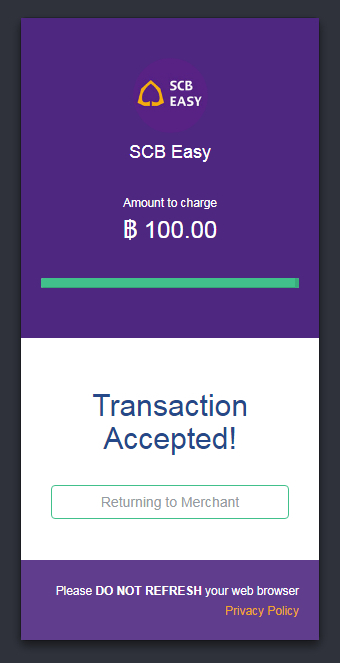
6. Check you deposit status at Deposit History menu
"Done" status means the deposit is successful.
"Processing" status means the deposit is adding to your trading account. Please wait for 1-10 minutes.
"Undone" status means the deposit is not successful.
7. If the fund was deducted from your bank account but not added to your trading account. Please send a transaction receipt to thai@fxclearing.com for verification.